September 2026
The following enhancements, fixes, and completed work shipped in Aunsight Data Services during September 2026. Changes are summarized below by feature area.
Map-Assist in the Dataflow Builder
Map-Assist moves directly into the Dataflow Builder, giving data engineers AI-assisted mapping in the same place they build dataflows.
-
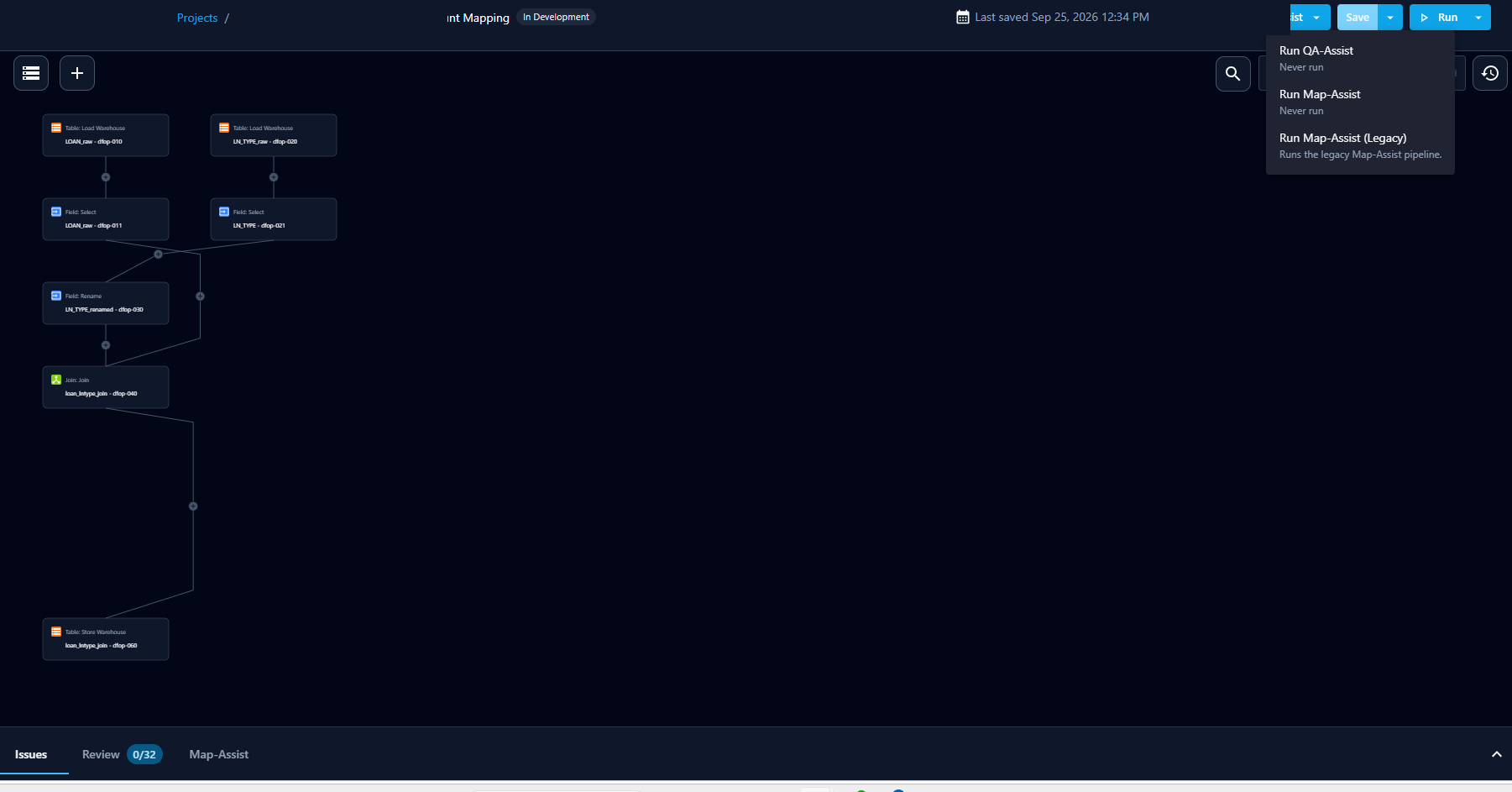
New — Map-Assist can be launched directly from the Dataflow Builder's Assist menu, running as a background task while the canvas stays editable and streaming its status and log to a Map-Assist tab that reopens automatically.
-
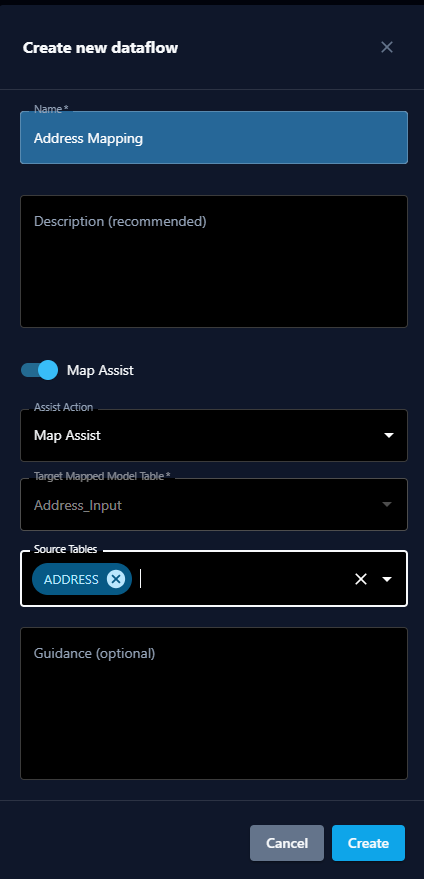
New — The Create new dataflow modal gained a Map-Assist toggle for the target mapped-model table, source tables, and guidance, so a run can start on create and generate the dataflow on the empty canvas.
-
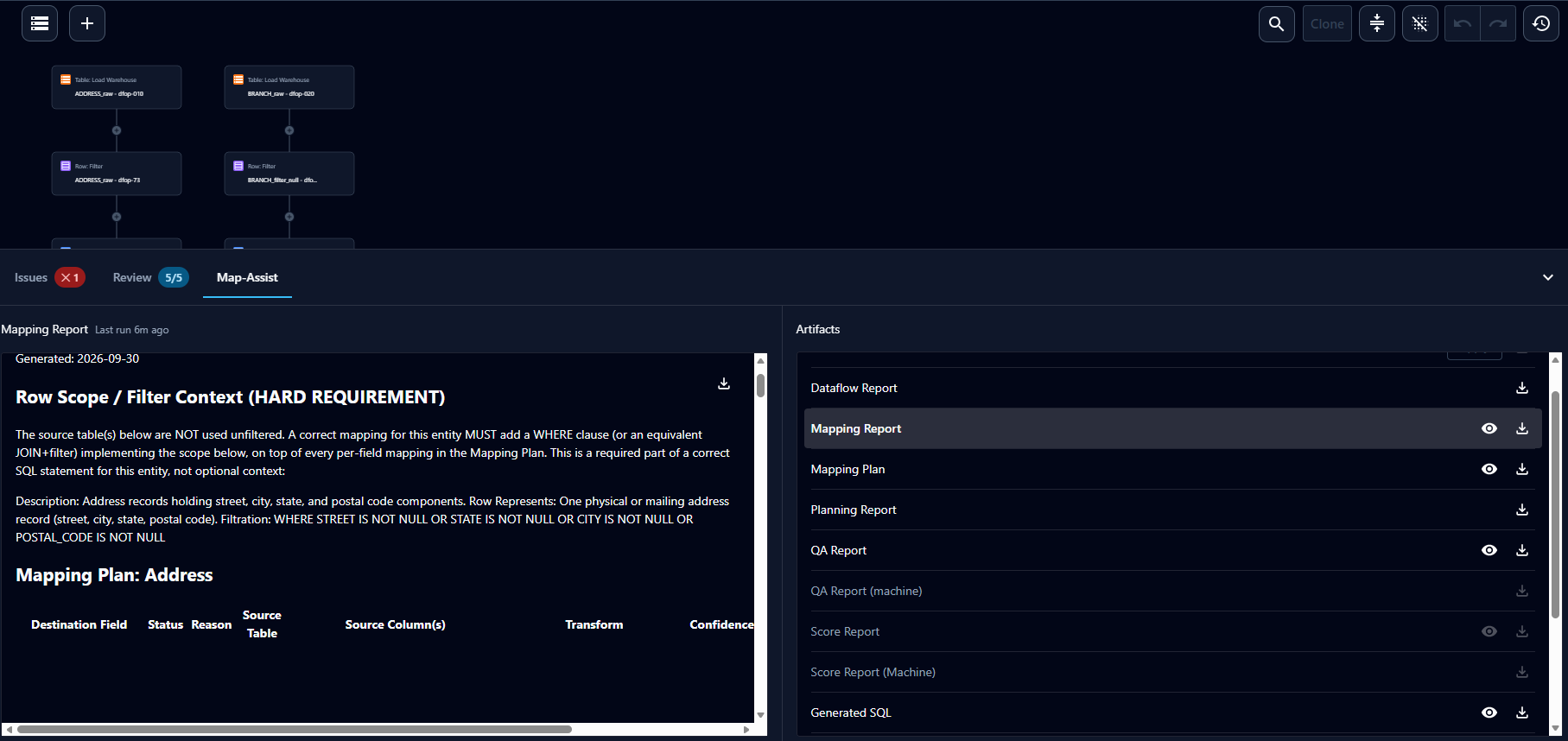
New — A completed run's generation report and downloadable artifacts (generated dataflow, mapping report, generated SQL, validation report, and validation findings) appear inline in the Map-Assist tab, with an Apply action to overwrite the canvas script with the generated one.
-
New — The Map-Assist tab surfaces the new generator's full artifact set, with in-place view for Markdown and SQL, download for all, Apply on the generated dataflow, and pending-state handling for artifacts not yet available.
- New — A Create Dataflow action was added to the Mapping tab row menu, so an additional candidate dataflow can be proposed for a mapped-model table that already has one.
- New — A Map-Assist run's QA findings now flow into the QA-Assist section of the Issues tab once the generated dataflow is applied, so engineers see problems on the canvas without running QA-Assist separately.
- New — Synthesize runs were optimized to significantly reduce token use on large runs.
- New — The newer automapping capability is now labeled Map-Assist in the UI, with the previous version shown as Map-Assist-Legacy.
Mapping Candidate Review & Lifecycle
Enhancements to the mapping-candidate approval workflow.
- New — A Blocked status was added to the mapping-candidate lifecycle, reachable from In Development, Proposed, and In Review, with an Unblock action that returns the candidate to its prior state and a Blocked count on the Mapping tab.
-
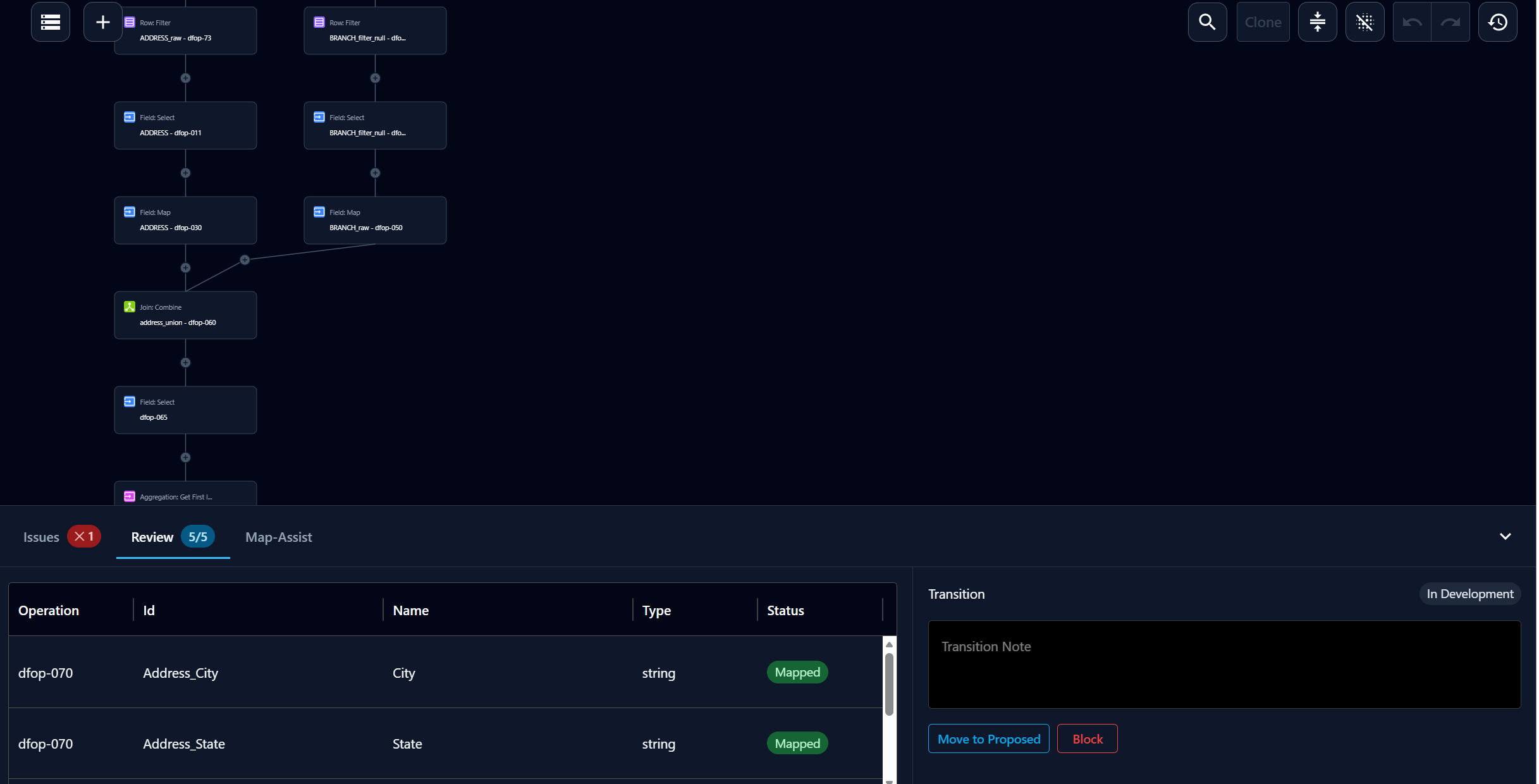
New — Reviewers can record an optional transition note and take an available lifecycle transition together in the Review tab, with only the transitions valid for the candidate's current state shown.
Solution Webhooks (Phase 1)
A new webhook notifier lets solutions call external endpoints on pipeline events.
See the Webhooks setup guide for step-by-step configuration.
- New — A webhook notifier type was added alongside existing notifiers, configurable with an HTTP POST target, optional headers, an optional custom JSON body, event-body inclusion, and retry/backoff error handling.
- New — Stored-run notifications gained a node-selection success trigger that fires configured webhooks once a chosen set of workgraph nodes has all reached
SUCCEEDED. - New — Webhook notifiers can fire on either partial node-selection success or whole-run success, calling each enabled endpoint with the configured request and stored-run ID, and applying retry/backoff on failure.
- New — When a webhook ultimately fails to send after retries are exhausted, a warning is recorded on the submission and included in the post-run health report.
Salesforce Plugin
Expanded Salesforce connectivity.
-
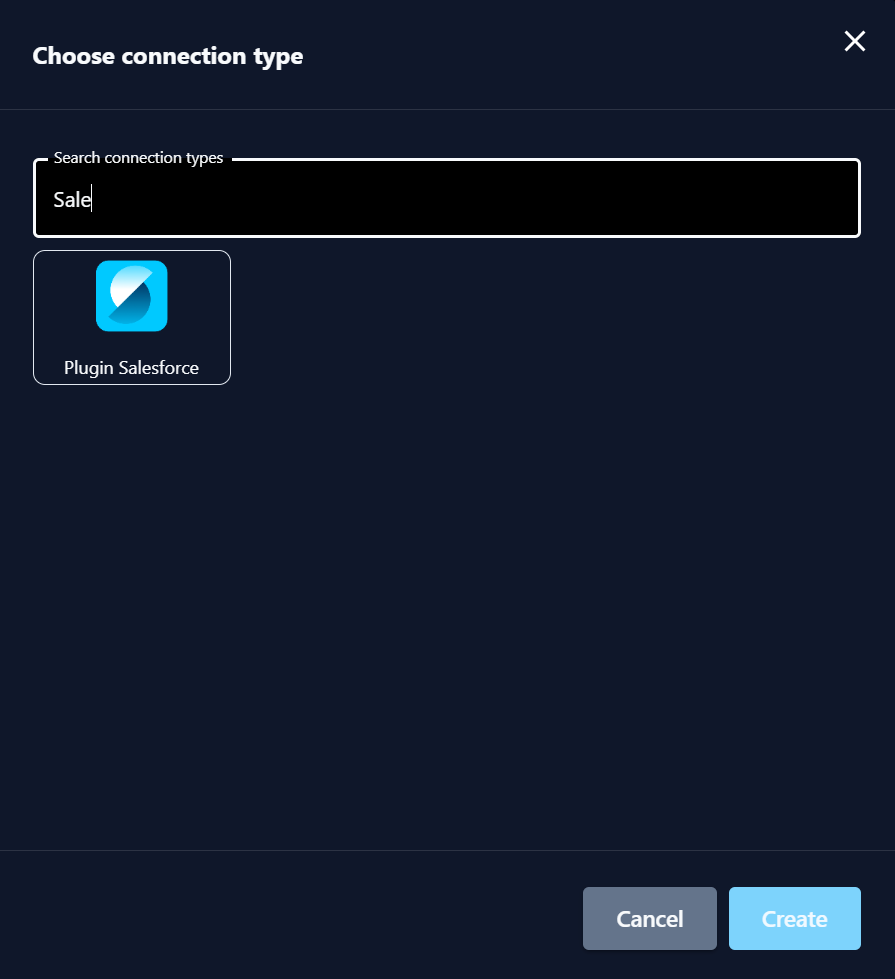
New — The Salesforce plugin now supports client-side certificate authentication for Salesforce connections.
-
New — The Salesforce plugin now supports configurable writeback, bulk-loading data via the Salesforce Bulk API into any standard or custom object chosen at transfer setup.
Data Acquisition & Ingestion
Ingestion and bucket-transfer enhancements.
- New — Remote Bucket → Local Warehouse ingestion gained an optional, off-by-default action to delete the source file after successful ingestion, preventing stale files from being re-ingested.
- New — Remote Bucket → Local Warehouse ingestion gained an optional, off-by-default action to archive the source file to a client-side folder after successful ingestion.
Dataflow Builder & Data Lineage
Authoring and lineage improvements.
-
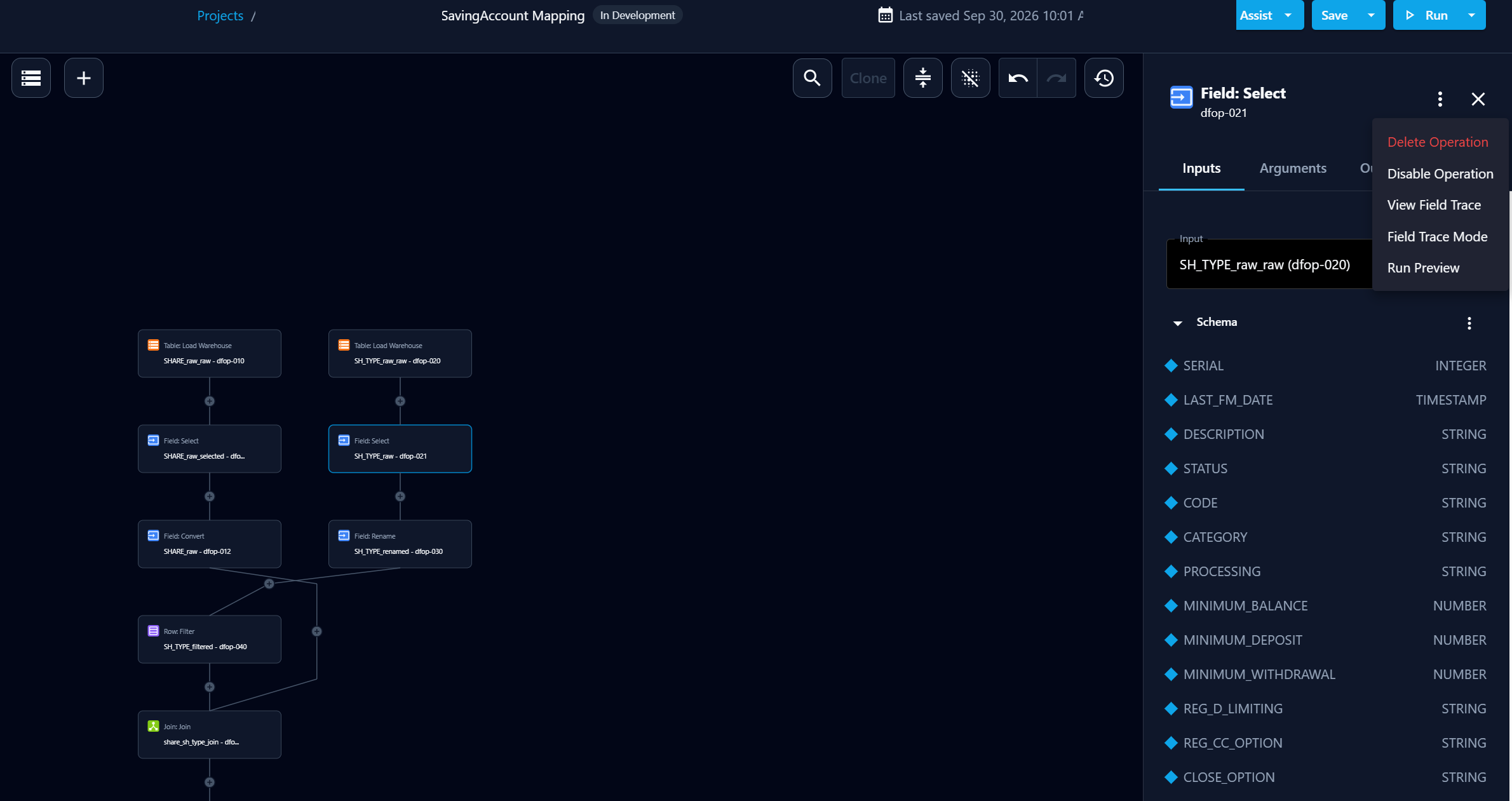
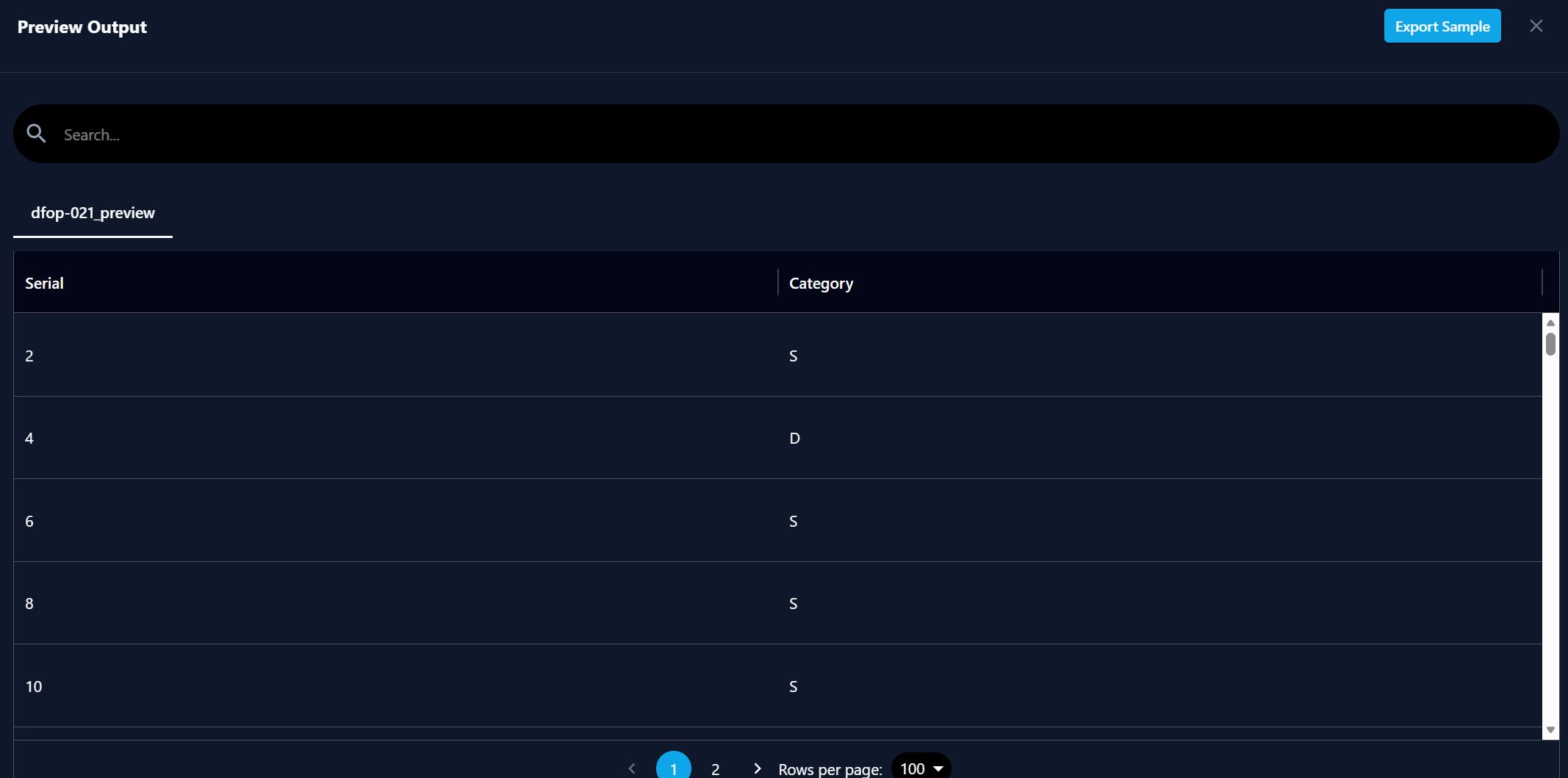
New — Data engineers can preview a dataflow's output against live data before saving, returning a sample result set without persisting any output.
-
New — Performing "Save As" on a dataflow now navigates to the newly created copy instead of leaving the user on the original.
- New — The Data Lineage Generator export now produces a report for dataflows that load input as cells, showing output tables/fields and source tables (with a fan-in dependency representation) instead of generating nothing.
StarRocks Accelerated Warehouse (SRDB)
Continued StarRocks reliability work.
- New — Interrupted StarRocks migrations no longer permanently block warehouse apply and publish: the pre-flight sweeps crash debris, reconciles field-level schema drift, skips already-applied steps, and rebuilds atomically when a change can't be made in place, reporting the actual reason any rows were rejected.
Profiling & Pipeline Reporting
Profiling performance and client-facing pipeline status.
- New — Query and warehouse profiling now reuses recent profiling results instead of recomputing from scratch, with partial reuse for warehouse profiles and a use-cache option (default on) to force a fresh profile — speeding up Map-Assist and QA-Assist.
- New — The client pipeline email now sends only on successful runs and acquisition-related failures, adds a support contact line, surfaces clear human-readable acquisition failure messages, and lists any unacquired tables in an Acquisition Issues and Warnings section.
Publishing
Selective publishing extended to module configuration.
-
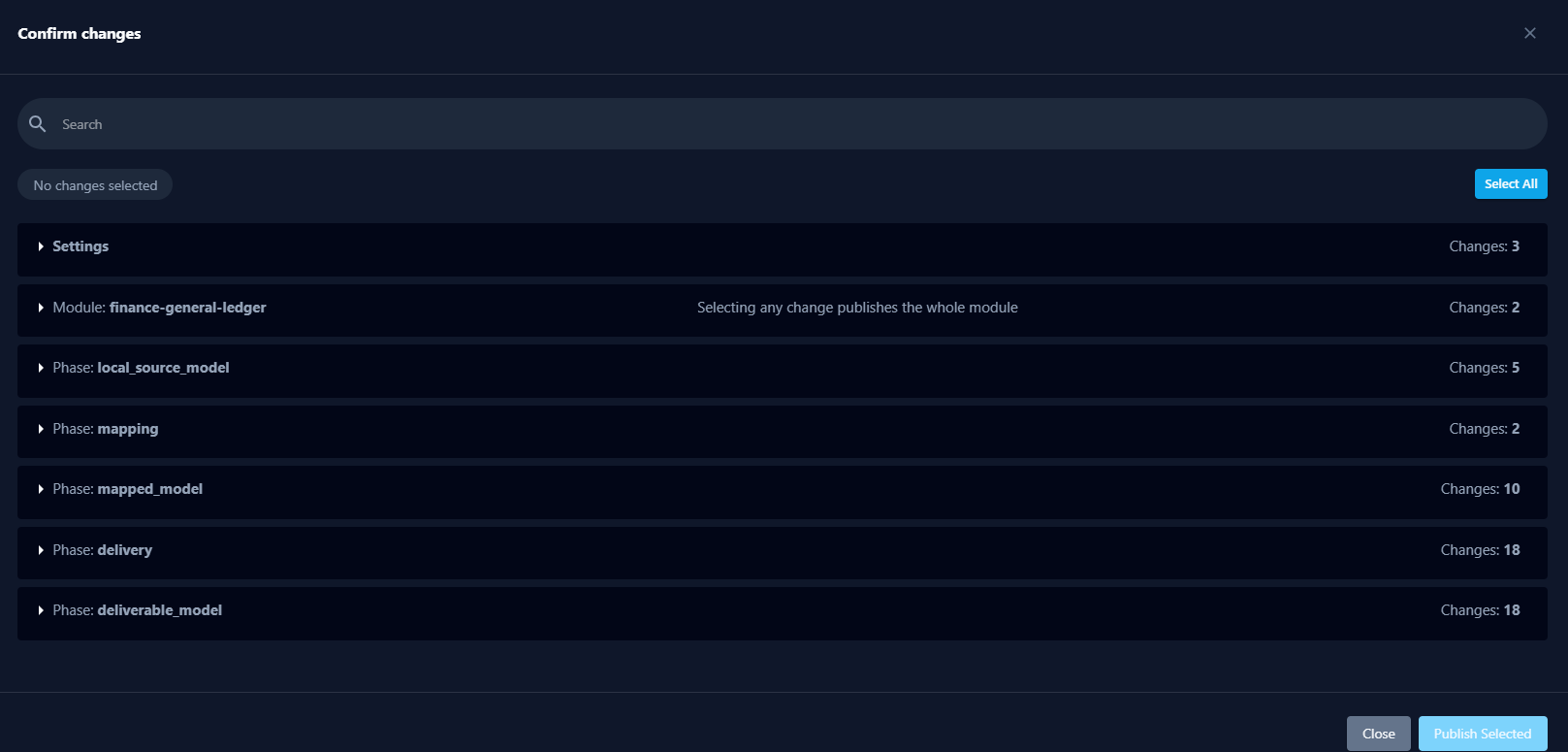
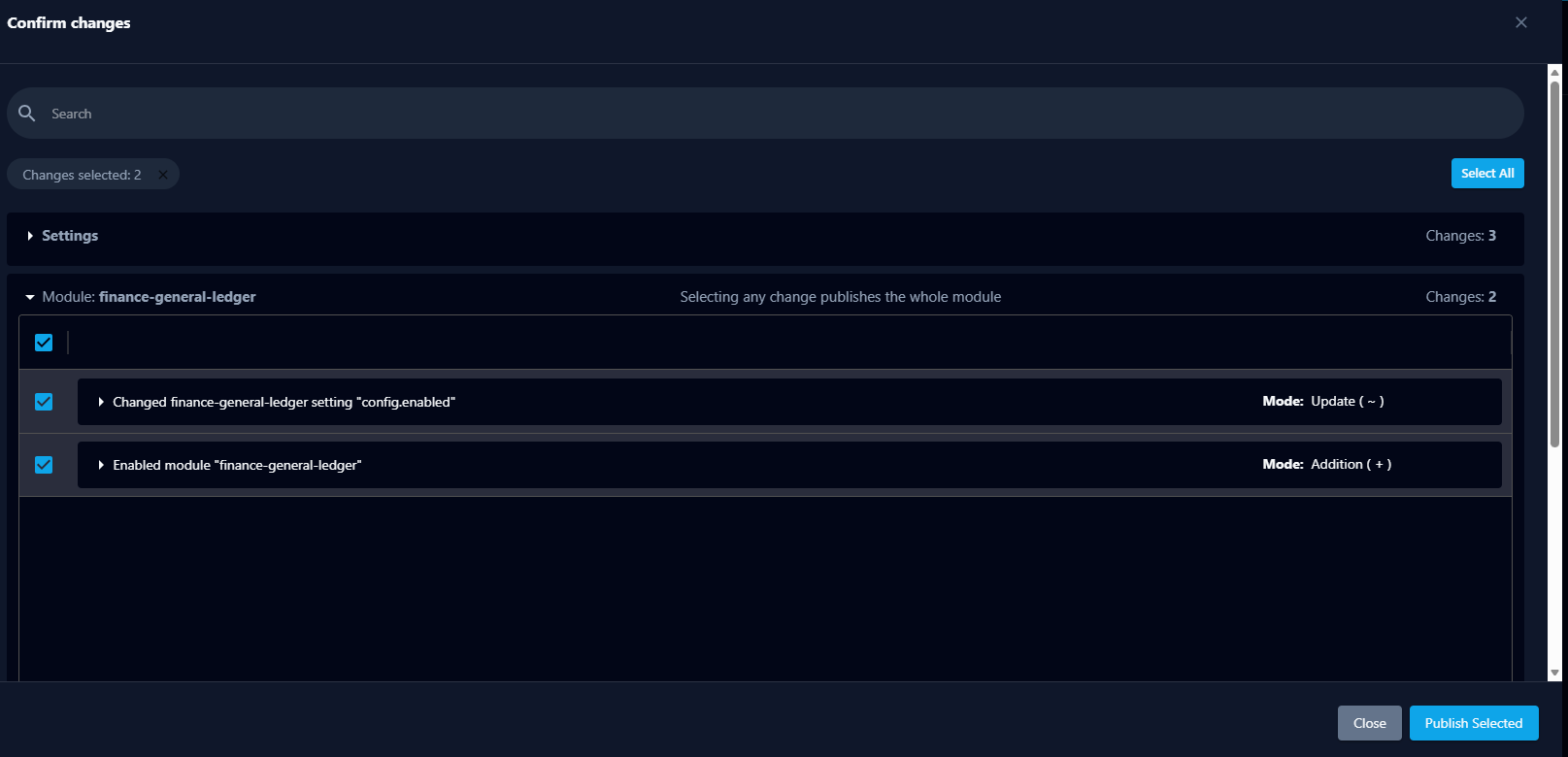
New — Selective publish now extends to module configuration. Runtime module-setting changes are classified at the field level and can be published on their own, without forcing a full publish — even when the draft also contains full-publish-only changes. Enabling or disabling a module (and certain flagged settings) still requires a full publish, and the Confirm changes dialog flags when a selection forces one.
Platform & Usability
Project and task-management quality-of-life improvements.
-
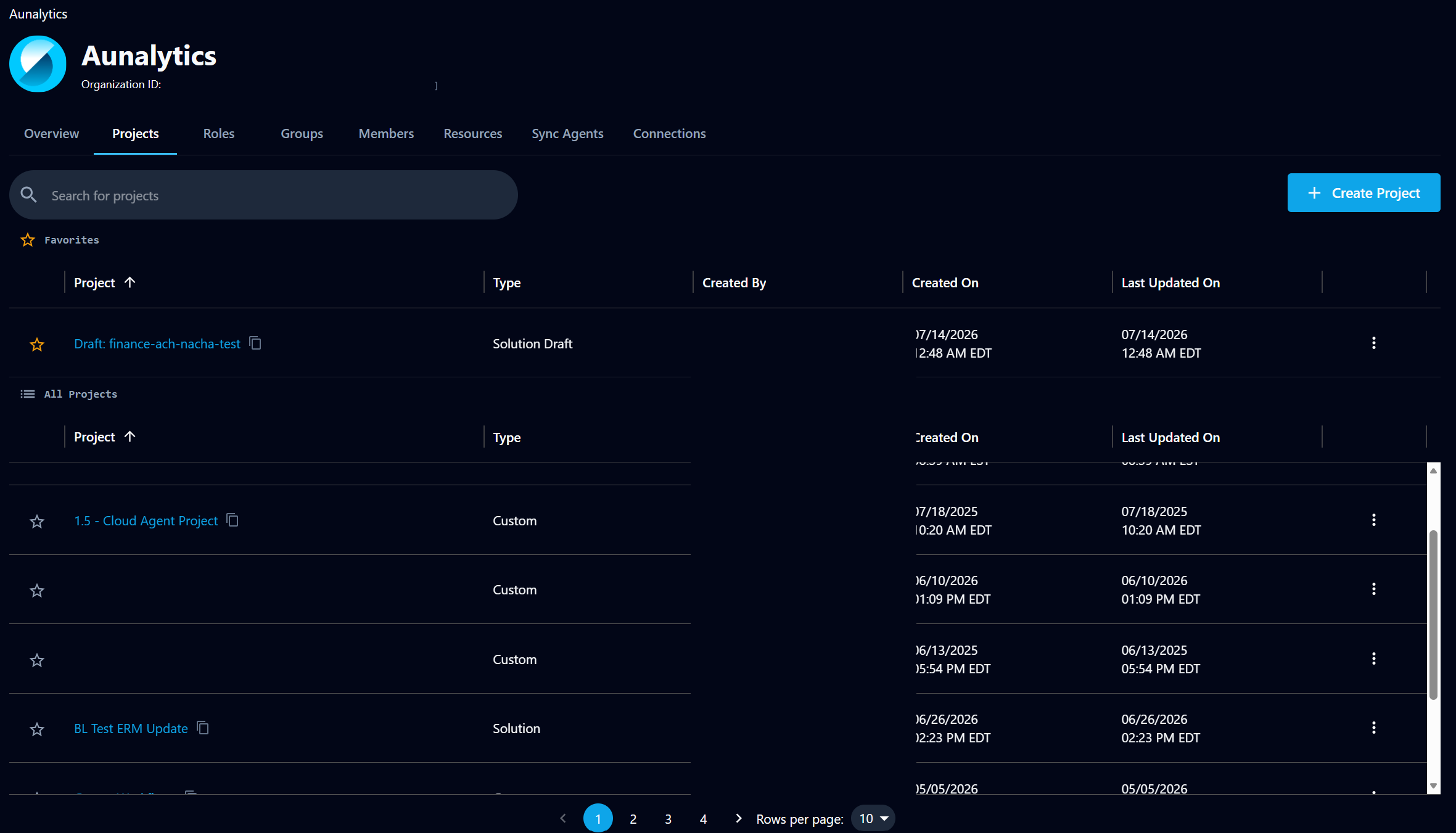
New — Users can favorite/star projects in an organization's project list, pinning them to a Favorites section at the top of the table, with per-user persistence.
-
New — The Task page now updates the duration field every 30 seconds for running, pending, and queued tasks, showing accurate elapsed time and stopping once a task reaches a terminal state.
Bug fixes
Defects resolved during September 2026.
- Fix — Query tab — Download CSV in the Tools menu now works on Solution and Draft Solution projects.
- Fix — Acquisition transfers in upsert mode now upsert into the destination table instead of overwriting it.
- Fix — Task API sessions now renew, so tasks running longer than 24 hours are no longer killed prematurely.
- Fix — Validation emails now report the correct row count for very large tables.
- Fix — The Dataflow Builder no longer shows false error indicators on multiple nodes at load.
- Fix — Dataflow operator view now updates correctly.
- Fix — Map-Assist no longer fails on Mapped/Supplemental Model warehouses.
- Fix — The source table is now prepopulated when invoking Map-Assist from the Dataflow Builder.
- Fix — Date fields in the web UI table and query viewers display the value as stored, correcting a timezone conversion that made dates appear a day earlier.
- Fix — Timestamp fields display the time component again.